
Active deals
In the cabinet: the “Spot bots” section, the “Active Deals” page. Open in the cabinet.
This page collects all open deals of your spot bots from all exchange accounts.
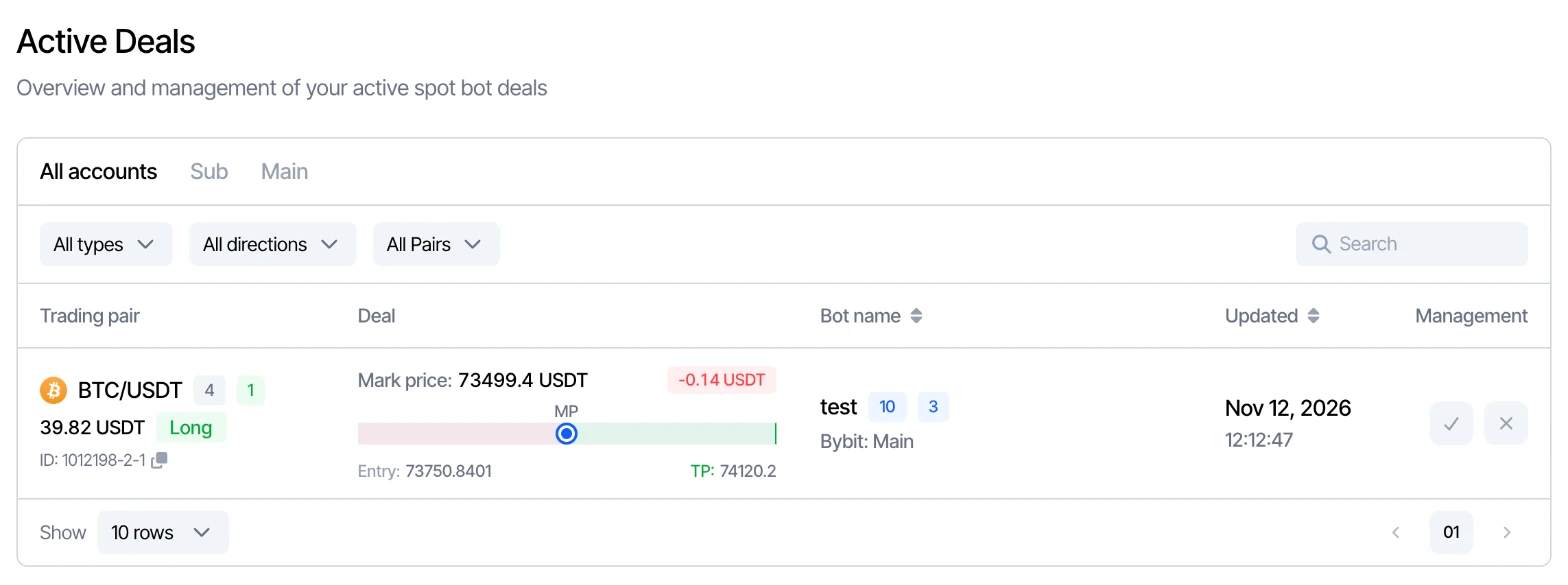
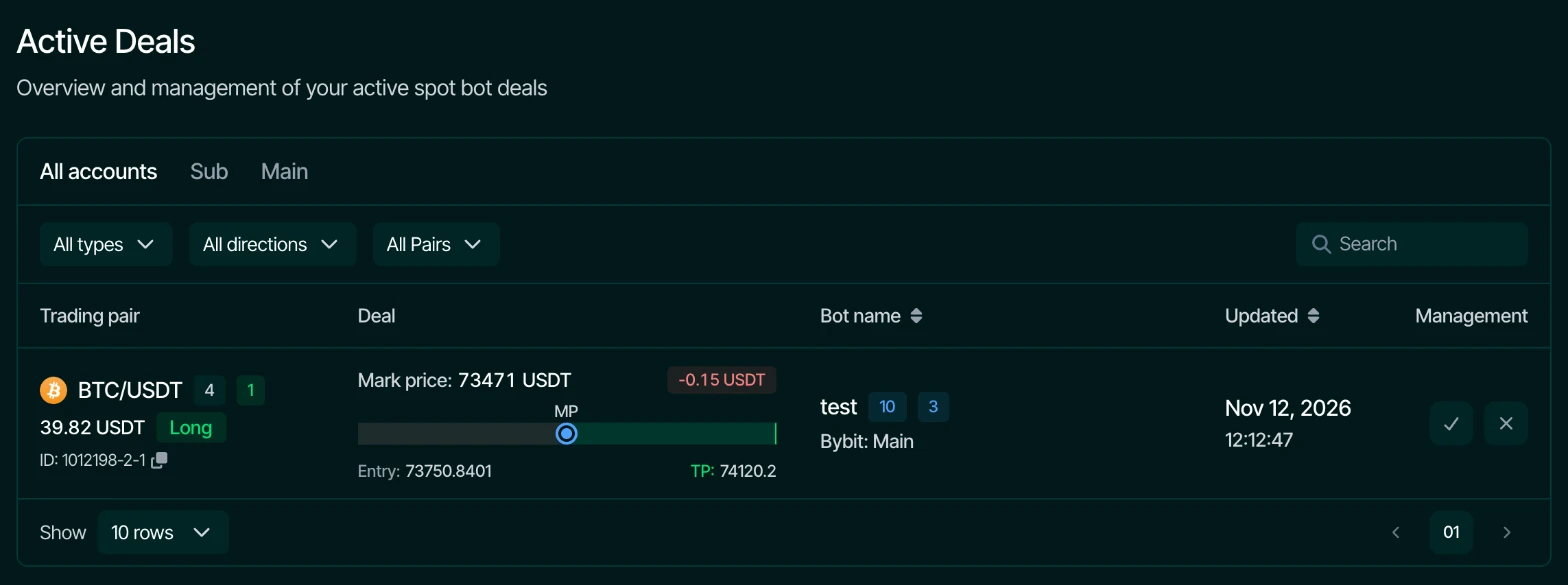
Filters
Section titled “Filters”Account tabs: “All accounts” and one per exchange account. Lists “All types”, “All directions” (Long or Short) and “All Pairs”. The search field is on the right.
Table columns
Section titled “Table columns”“Trading pair”. The pair and two counters: how many orders of the deal have
filled and how many are on the exchange. Under the pair are the deal volume
in USDT, the direction and the deal ID, which you can copy. The ID consists
of the bot number, the pair number in the bot (the first pair has none) and
the sequence number of the pair’s deal, for example 1012198-2-1.
“Deal”. The market price of the pair and the current deal result in USDT. The scale shows where the price (MP) is now between the entry price and the take profit (TP).
“Bot name”. The bot name, next to it the maximum number of safety orders and how many of them the bot keeps on the exchange at the same time. The exchange account is below.
“Updated”. The time of the deal’s last event, such as a filled safety order or a moved take profit.
“Management”. Two buttons.
- The check mark closes the deal: the bot removes its orders and sells the deal’s coins at market (Short buys them back).
- The cross cancels the deal: the bot removes its orders and sells nothing. The coins stay on the account and no longer count as the bot’s deal.
If a deal behaves strangely
Section titled “If a deal behaves strangely”Open the bot page, “Logs” tab: it shows what the bot did and why it could not do something. If the reason is unclear, write to the support Telegram bot @cryptorg_support_bot and include the deal ID, bot ID, pair and the time you noticed the problem.